The ComfyUI alternative that skips the node graph.
You wanted a picture. You got a pipeline.
ComfyUI on Mac means a bundled Python install that wants at least 4.85 GB of disk, and a node graph between you and the first image. Private Diffusion is one app for iPhone, iPad, and Mac, with its models already tuned for Apple Silicon. No Terminal. No Python. You type what you want, and you get it.


The Short Version
Private DiffusionRetrained after shrinking, one tested build per model
ComfyUIWhatever checkpoint and compression you downloaded
Private DiffusionMLX on the GPU, Core ML on the Neural Engine
ComfyUIPyTorch MPS on the GPU alone
Private DiffusionCollects no data, not even crash reports
ComfyUIPostHog and Datadog telemetry, checked by default
Private DiffusionSandboxed native Swift on iPhone, iPad, and Mac
ComfyUIUnsandboxed Electron desktop app
Better Pictures From Smaller Models
Every model is retrained after it's shrunk, so the small version on your device answers the way the full-size original would.
How it works
Running a big image model on a laptop means shrinking it. In ComfyUI, the quality you get depends on whichever checkpoint and compression you happened to download. Every one of our models is quantization-aware distilled (QAD): we shrink the weights to 4 bits (6 on Anima and Mage Flow Turbo), then keep training the small model against the full-size original until it answers the same way. You get one tested build per model instead of a guessing game.
SourcesNVIDIA: how quantization-aware training and distillation work
Full-Size Original
The model as its makers trained it, too big for a phone.
Shrunk to Fit
The weights are cut to a few bits each so the whole model fits on your device.
Retrained Against the Original
The small model keeps training until it answers the way the full-size one does.
- Private Diffusion
- Private Diffusion ships the retrained model.
- ComfyUI
- ComfyUI loads whichever checkpoint you found, at whatever compression it came in.
Faster on Apple Silicon
Private Diffusion uses Apple's own frameworks to put the GPU and the Neural Engine to work together.
How it works
ComfyUI runs on PyTorch's MPS backend, the slowest inference framework on Apple platforms. Its own documentation says it doesn't use MLX, and with no Core ML path either, the Neural Engine sits idle. Private Diffusion runs the diffusion model on the GPU through MLX and uses the Neural Accelerators built into the GPU on M5 and M6, A19 Pro, and A20 Pro. Core ML hands the live preview, the final decode, and the upscaler to the Neural Engine, except for a few of the largest decodes, which come out cleaner on the CPU. Each processor does the part it's best at.
SourcesComfy docs: ComfyUI uses PyTorch MPS, not MLXApple Newsroom: M6 and M5 Ultra, a Neural Accelerator in each GPU core
Private Diffusion
- GPUUsed
- Neural EngineUsed
ComfyUI
- GPUUsed
- Neural EngineNot used
No Telemetry to Switch Off
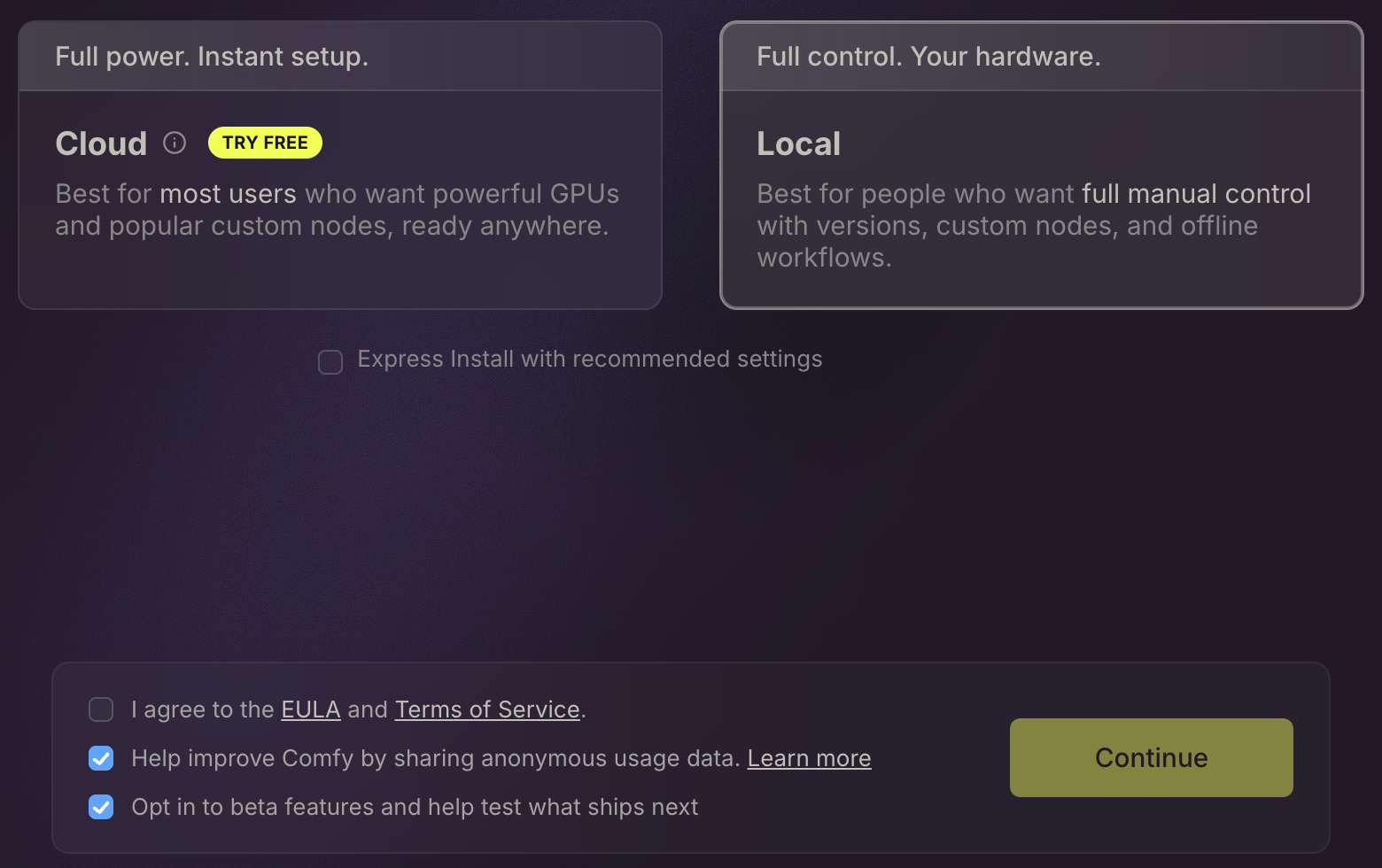
Private Diffusion collects no data, while ComfyUI's Mac app ships two analytics SDKs with telemetry checked by default.
How it works
ComfyUI's Mac app, Comfy Desktop, ships two tracking SDKs, PostHog and Datadog RUM. The box that turns telemetry on is already checked the first time you launch it, and Comfy's own privacy policy names both vendors. Private Diffusion has nothing to uncheck. It ships without an analytics SDK or a crash reporter, never asks for an account, and collects no data at all. Your prompts and images never reach a Numen server. If you're signed in to iCloud, your gallery mirrors to your own private iCloud.
SourcesComfy Desktop 1.1.6 telemetry source (PostHog, Datadog RUM)Comfy Desktop 1.1.6 first-launch screen: telemetry checked by defaultComfy Desktop in-app privacy policy naming PostHog and Datadog
A Native App, Not a Browser in a Box
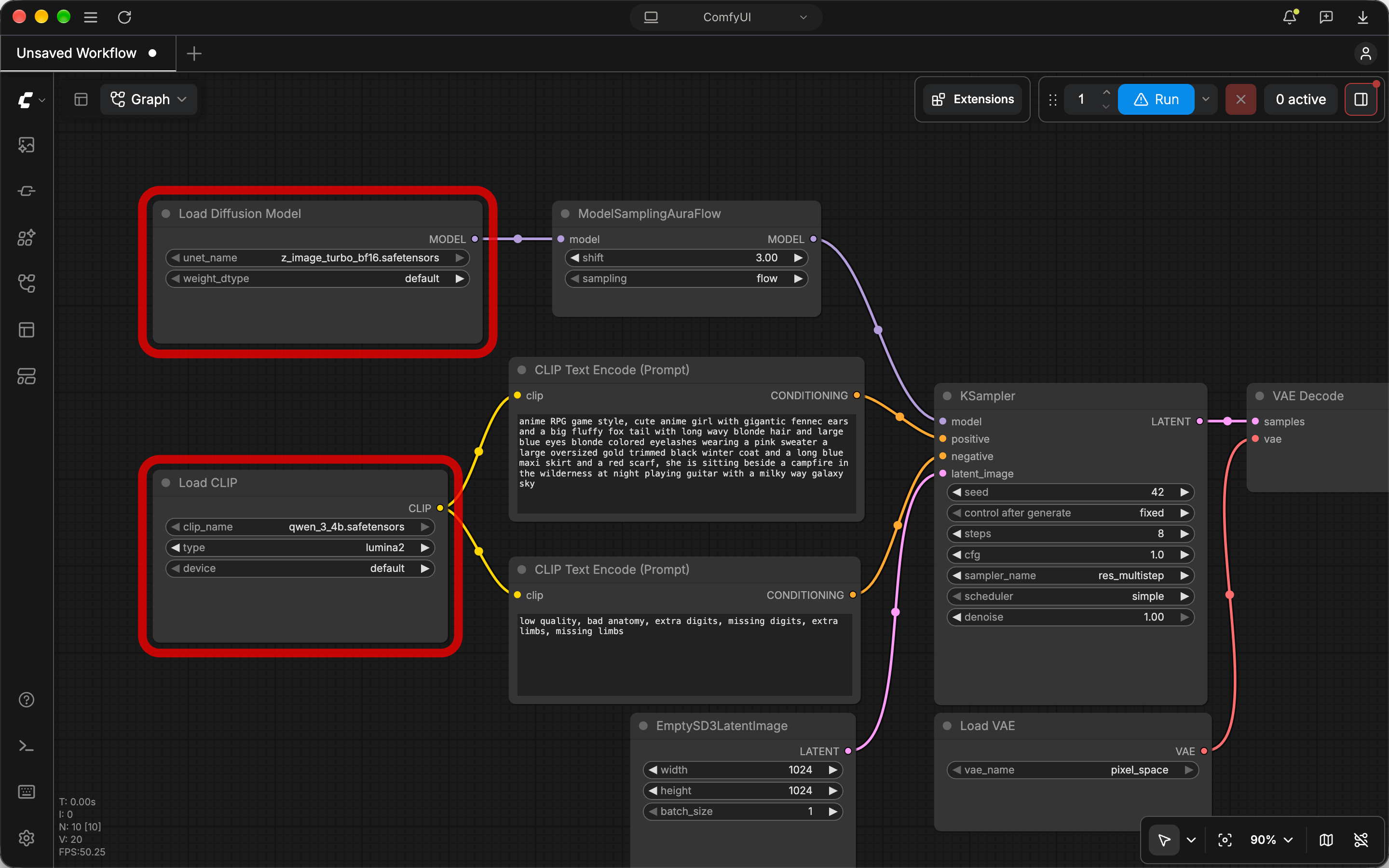
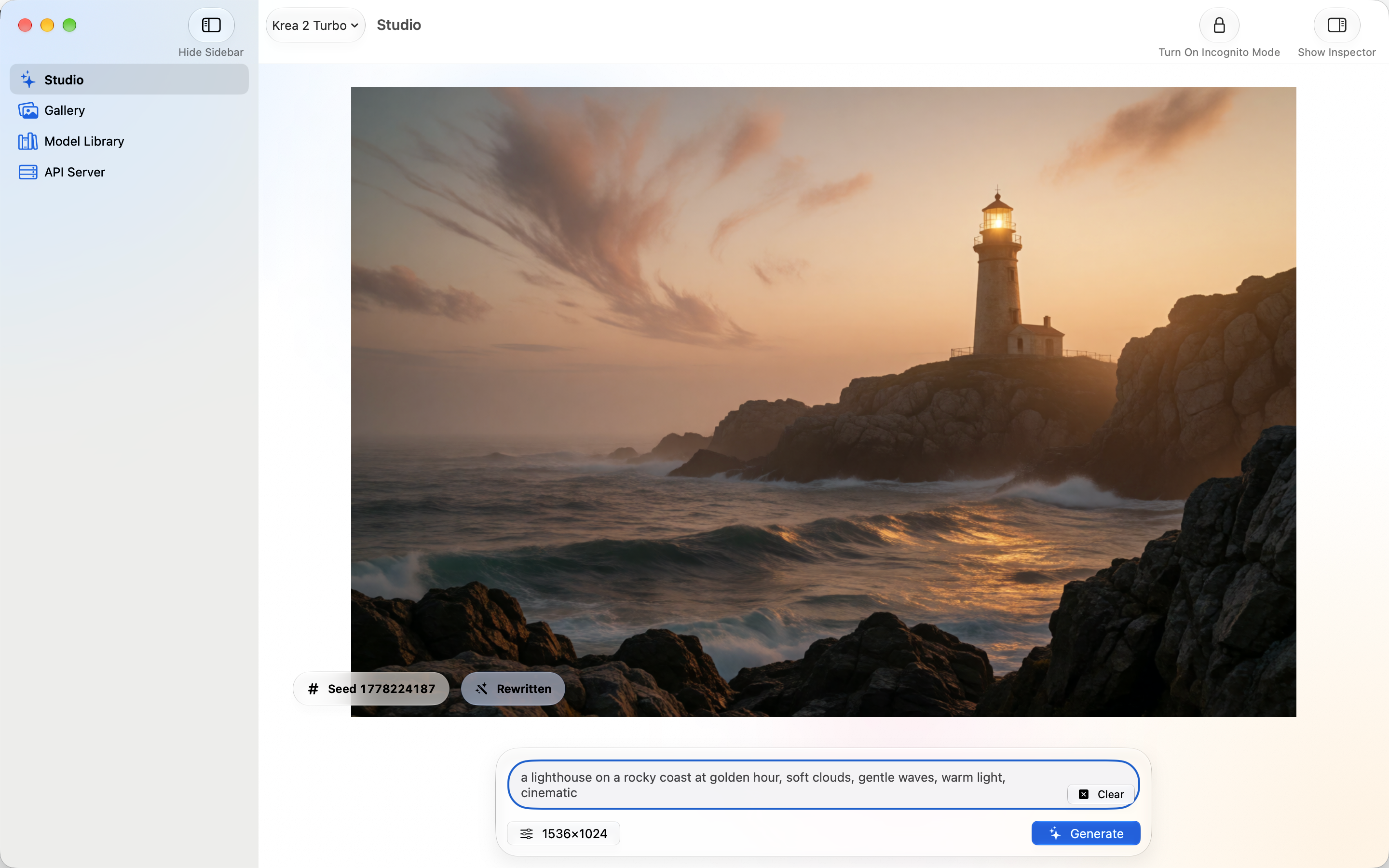
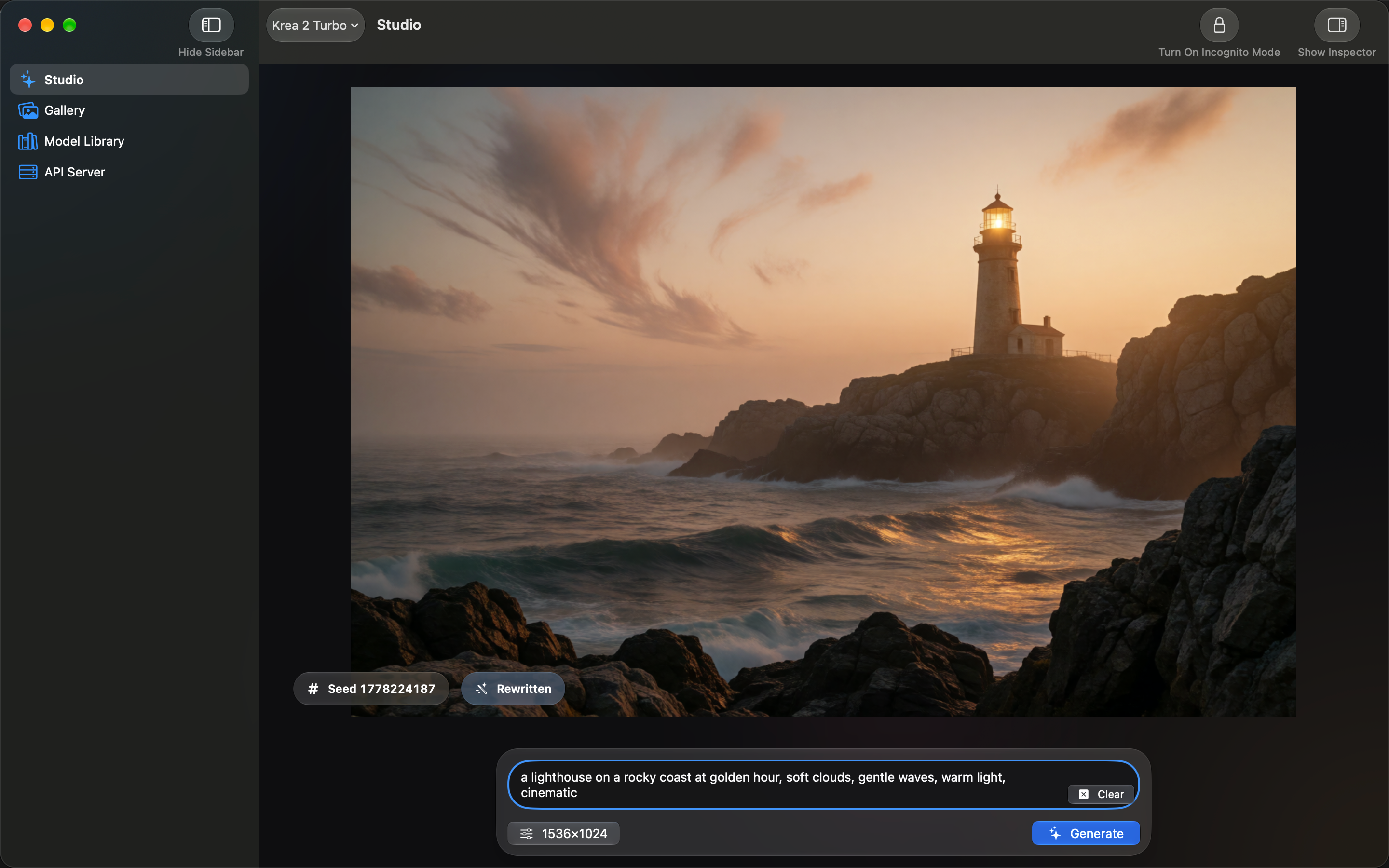
Private Diffusion is a sandboxed, native Swift app built to Apple's Human Interface Guidelines, while Comfy Desktop is an unsandboxed Electron app.
How it works
Comfy Desktop wraps a web interface in Electron and runs outside the App Sandbox, the wall macOS puts between an app and the rest of your files. Private Diffusion is written in Swift, runs inside the App Sandbox with the hardened runtime on, and follows Apple's Human Interface Guidelines to the T, with Liquid Glass, menu bar commands, and keyboard shortcuts. It also runs on your iPhone and iPad, which ComfyUI does not.
SourcesComfy Desktop 1.1.6 code signature: no App Sandbox entitlement
Which One Is for You
Pick ComfyUI If
- You want to wire your own node graphs
- You run custom nodes
- You generate on an NVIDIA card under Windows or Linux
Pick Private Diffusion If
- You want the picture on your Mac or iPhone without setting up Python
- You want nothing to uncheck, because nothing is collected
- You want a sandboxed native app that also runs on iPhone and iPad
Private Diffusion and ComfyUI Side by Side
Compare all three
ComfyUI Alternative FAQ
If you want images rather than workflows, Private Diffusion. It installs from the App Store, needs no Python, and runs a curated set of models on Apple Silicon, using MLX on the GPU and Core ML on the Neural Engine. It collects no data. ComfyUI is still the pick for custom node graphs and NVIDIA hardware.
ComfyUI runs on Apple Silicon Macs through PyTorch's MPS backend. It does not use MLX, Core ML, or the Neural Engine, and Comfy's own troubleshooting guide suggests falling back to the CPU when MPS causes problems. Private Diffusion is built on Apple's frameworks instead, so the GPU and the Neural Engine work together on every Mac it supports.
No. ComfyUI's desktop app is available for Mac and Windows, and Comfy Org has no iPhone or iPad app. Private Diffusion runs on iPhone, iPad, and Mac with iOS, iPadOS, or macOS 26.4 or later on Apple Silicon. Bigger models need more memory: Krea 2 Turbo needs an iPad or Mac with 16 GB, while Anima and Flux.2 Klein 4B run on any supported iPhone.
Comfy Desktop, ComfyUI's Mac app, ships PostHog for product analytics and Datadog RUM for errors, and its telemetry checkbox is checked by default on first launch. You can uncheck it. Private Diffusion has no analytics SDK and collects no data, so there is nothing to uncheck.
Make the Picture, Skip the Pipeline
Every model trained to hold its quality, on the iPhone, iPad, or Mac you already own. There's no account to make, and nothing you create is sent to us.